

|
|


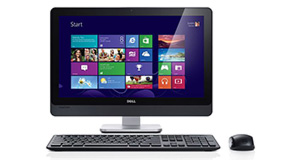
Toshiba Satellite L745-S4110 overview
Number of problems: 7
Number of solved problems: 6
Number of unsolved problems: 1
Problem resolution: 86%
Compared to other desktop computers:
Toshiba Satellite L745-S4110: Likelihood of getting a solution
Ranking: 1st out of 53
Most likely to get a solution:
Toshiba Satellite L745-S4110 - problem resolution score of 86%
Toshiba Satellite L745-S4110 - problem resolution score of 86%
Least likely to get a solution:
Toshiba Satellite P855-S5102 - 5 out of 11 problems solved
Toshiba Satellite P855-S5102 - 5 out of 11 problems solved
Solved problem list for the Toshiba Satellite L745-S4110
(Click on a problem to see the solution)My PC takes a really long time to boot up, to open programs or to run applications.
VIRUS!! HELP!!
windows keeps freezing and sometimes it resets.
My computer makes a clicking sound and it's very slow
No picture on the monitor
How do I do a factory restore?I do not have a disk.
Unsolved problem list for the Toshiba Satellite L745-S4110
(Click on a problem to comment or help)sound shutts off i checked the drivers and they are all updatedit sez the drive is working correctly but if i reboot the system the problem fixes till it acts up again.....what do i do can sumone please shed sum light on this for me please??????
Solutions for the Toshiba Satellite L745-S4110
0 people also had this problem.
Problem: My PC takes a really long time to boot up, to open programs or to run applications.
There are 0 comments on this problem.
Solution 1: There may be a number of reasons for this. I'd recommend trying the following:
1) Check for viruses. You can get plenty of free virus protection software, just Google "free virus protection" or something similar. If you're not using virus protection already I cannot stress strongly enough how important it is to get some.
2) Check free disk space. If your hard disk has anywhere under 20% free space, it takes much longer to do everything. It will not harm or damage your computer, it will just slow things down considerably.
3) Uninstall software you never use. Lots of programs start themselves when you start your computer even if you aren't using them. More programs running at the same time will slow your computer down.
4) Defragment your hard disk. If you have a normal hard disk (i.e. not a solid state disk) you need to defragment your disk regularly. Think of defragmenting as organising an untidy room - you can get things done more quickly if your computer doesn't have to search for them first.
5) Consider upgrading. If your computer isn't that old, you might consider upgrading your computer's memory or hard disk. Upgrading memory is fairly easy and usually gives your computer quite a speed boost. Upgrading your hard disk to a solid state disk will give your computer a massive speed boost in terms of booting up and launching applications, but it's a bit more complicated. Google them both.
6) Last resort - buy a new computer. If your computer is more than 5 years old and you have tried the steps above, you might want to just get a new one. My advice is not to get the cheapest one (you might end up having to replace it sooner than you want to) but don't buy more than you need. Simple advice - if you're going to spend a lot of money on a computer, Google some reviews of it before you buy it.
0 out of 0 people found this solution helpful.
Was this solution helpful?
There are 0 comments on this solution.

0 people also had this problem.
Problem: VIRUS!! HELP!!
There are 0 comments on this problem.
Solution 1: If possible, disconnect your network connection and search for a solution using a different computer or device. Visit http://forums.malwarebytes.org and check a solution for your specific virus or malware.
Ensure you have good virus protection for the future.
0 out of 0 people found this solution helpful.
Was this solution helpful?
There are 0 comments on this solution.
0 people also had this problem.
Problem: windows keeps freezing and sometimes it resets.
There are 0 comments on this problem.
Solution 1: There may be a number of reasons for this problem. Typical reasons:
1) your computer is old
2) your computer is clogged up - defragment it and check for errors.
3) you don't have enough memory - buy some memory (check crucial.com for instructions on what memory your computer needs)
4) your computer is overheating, make sure all the vents are uncovered.
5) some other part is worn out - google how to test the hard disk, processor, memory, graphics and motherboard, or get in touch with someone who can do this for you.
hope this helps
0 out of 0 people found this solution helpful.
Was this solution helpful?
There are 0 comments on this solution.
0 people also had this problem.
Problem: My computer makes a clicking sound and it's very slow
There are 0 comments on this problem.
Solution 1: URGENT: BACK UP YOUR COMPUTER NOW
It sounds like your hard disk is failing. It will probably become unusable soon and you won't be able to recover anything (documents, photos etc) on that disk if you haven't backed them up.
You MUST make a copy of your important stuff now before you do anything else.
Once you have backed up everything you might be worried about losing, you can try to get to the root of the problem. Try a free hard disk checker like Aeo3 HD SMART Lite to see if there are any problems with your disk. Even if it says that there are no issues with the hard disk, it might still have a problem.
If you have a damaged or failing hard disk, you should just replace it. You are unlikely to be able to fix it for less than the cost of a new one.
0 out of 0 people found this solution helpful.
Was this solution helpful?
There are 0 comments on this solution.


